There are several switch standards on the market, and each one only fits the PCBs and plates specifically designed for it. Over our years selling custom ergonomic keyboards, we've seen many customers unknowingly buy switches, keycaps, PCBs, or cases that don't work together - wasting money on parts they can't use. This guide is here to help you avoid that.
Switches type
There are a few standards worth knowing, and this post covers the most popular ones.
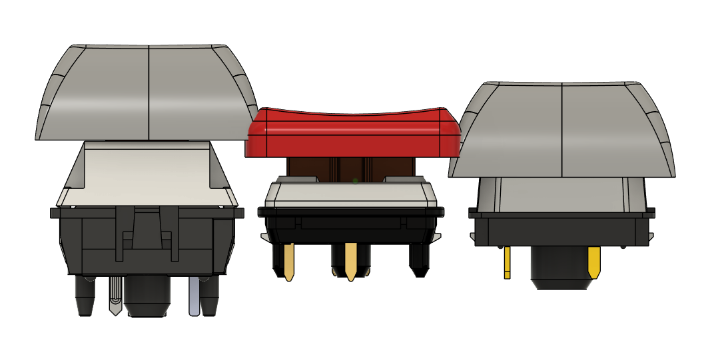
The image below shows each switch from a top-down view. From left to right: Cherry MX-style switches, Kailh Choc v1 (PG1350), and Gateron Low Profile switches (KS27/KS33).
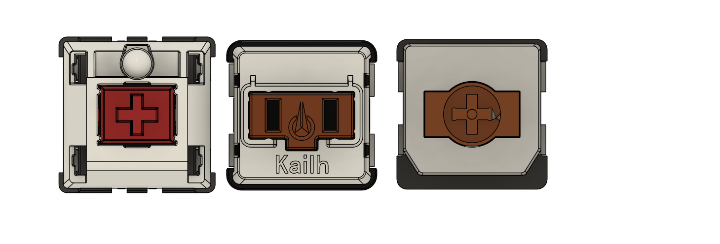
Cherry MX style
We call this "Cherry MX-style" because it's no longer made only by Cherry - nearly every switch manufacturer now produces switches on this footprint. It's the most common standard, found on the vast majority of mainstream keyboards, and it offers by far the widest selection of switches and keycaps. These switches use a cross-shaped (plus) stem and take standard cross-stem keycaps.
Kailh choc switches
This is probably the second most popular standard, designed and popularized by Kailh. It's a low-profile switch, and as the picture shows, it's noticeably shorter than a Cherry MX switch. Choc v1 switches only accept "pig-nose" keycaps designed specifically for them - they are not compatible with Cherry-style keycaps. Once you factor in keycap height, Choc v1 gives you the lowest overall typing profile of the three standards covered here.
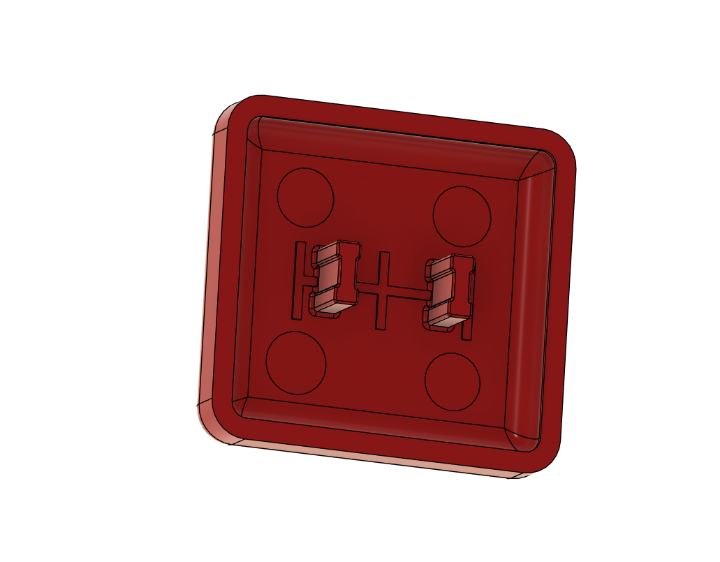
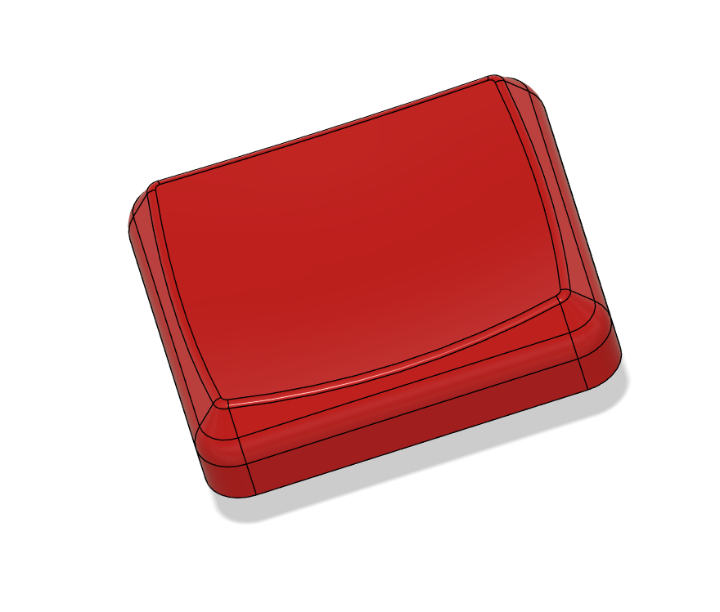
Kailh choc v2 switches
Choc v2 is a newer variant of the Choc line. Electrically, it's identical to Choc v1 - the pin positions are the same. The differences are mechanical: Choc v2 adds an extra pin at the bottom of the switch, and its center pin (the plastic locating pin in the middle) is larger than on Choc v1.
This means:
- A PCB designed for Choc v2 is backward compatible with Choc v1 switches.
- A PCB designed for Choc v1 is not compatible with Choc v2 switches.
Kailh also sells a version of Choc v2 with the extra third pin removed. That pin serves no electrical purpose, so even on standard Choc v2 switches, it can be clipped off if needed.
Unlike Choc v1, Choc v2 uses a cross-shaped stem, so it accepts the same keycaps as Cherry MX switches (with one caveat on spacing - see the Keycaps section below).
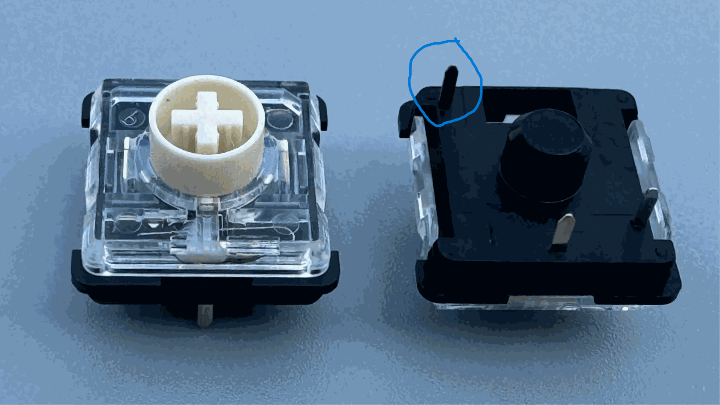

Gateron GLP (KS27 - KS33)
This low-profile standard was designed and is manufactured by Gateron. It's popular in the mainstream space - Keychron is a notable user - and the switches themselves tend to be cheaper and easier to source. Because Gateron designed their own socket rather than adopting Kailh's, the KS27-KS33 footprint is completely different from either Choc standard. Only boards specifically designed for KS27-KS33 will accept these switches.
Here is an overview of the sockets for each type of switches:
KS27/33 -> Cherry MX -> Choc
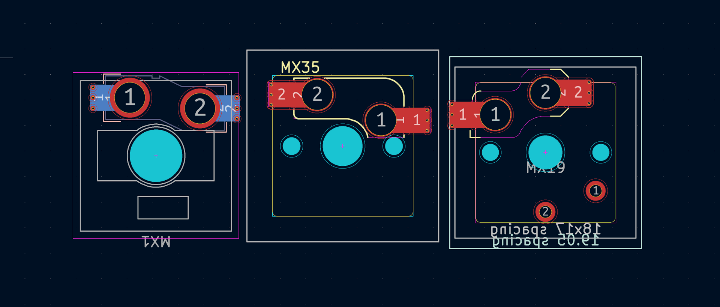
And here are all three footprints overlaid to show just how different they are:
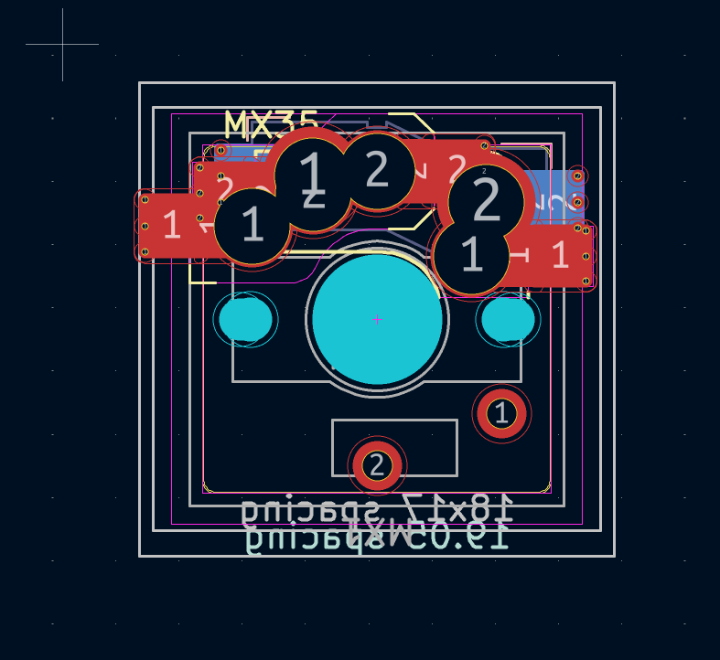
As you can see, these footprints cannot share a single board (technically it's possible with enough hybrid-socket trickery, but it's not something you'll find on a typical off-the-shelf PCB).
Keycaps
The switch is only half the story - keycap compatibility matters just as much.
Stem shape: Choc v2, Cherry MX, and Gateron Low Profile switches all use the same cross-shaped stem, so they can physically accept the same keycaps. However, because low-profile switches sit much closer to the plate, you need keycaps whose stem is long enough that the keycap itself doesn't bottom out on the plate. Regular Cherry MX keycaps are often have stems too short for this and will hit the plate on a low-profile board.
Spacing: Choc v1 uses tighter keycap spacing (17mm × 18mm) than standard Cherry MX keycaps (19mm × 19mm). This matters even for Choc v2 boards: if your PCB uses Choc v1-style 17×18mm spacing (as many Choc v2 boards do, for backward compatibility), you still can't use regular Cherry MX keycaps - you'll need keycaps made specifically for that spacing, even though the stem shape matches.
The picture below demostrate the spacing issue of different type of keycaps and switches
Quick Reference
| Switch Type | Keycap Stem | Keycap Spacing | Backward Compatible With |
|---|---|---|---|
| Cherry MX-style | Cross stem | 19×19mm | — |
| Kailh Choc v1 | Pig-nose | 17×18mm | — |
| Kailh Choc v2 | Cross stem | 19×19mm (typically for MX keycaps compatibility) | Choc v1 |
| Gateron Low Profile (KS27–KS33) | Cross stem | 19x19mm | — |
Bottom line: before you buy, make sure your switches, keycaps, and PCB/plate are all designed for the same standard - or, in the case of Choc v2, confirm you're buying keycaps that match both the stem shape and the spacing.